Directing GPT Image 2 Portraits: Lenses, Lighting & the Anti-AI-Face Playbook
The model follows instructions well enough to take direction. Write portraits as a photo brief in layers — subject, lens, lighting, composition — and swap praise words for visual facts to escape the plastic AI face.
Prompt portraits in layers, like a photo brief
GPT Image 2's strength for people is high instruction-following: the more your prompt reads like a real photo brief, the more faithfully it executes. So stop writing one long sentence and start writing layers, separated by line breaks — the model follows structured input more reliably.
Subject: a 38-year-old man, short dark hair, light stubble, calm confident expression, charcoal wool blazer.
Camera: 85mm lens, f/2.8, eye-level medium close-up, shallow depth of field.
Lighting: soft key from camera-left at 45 degrees, soft fill from the right, subtle rim light, slight catchlights.
Composition: light grey seamless backdrop, softly out of focus.
Constraints: natural skin texture, unretouched, no beauty filter, no plastic skin.
The most important habit, borrowed straight from photographers: replace praise with visual facts. "Beautiful, gorgeous, ultra-realistic" pulls the model toward its over-retouched average and gives you a plastic face. "Window light from camera-left, 50mm, visible pores" pulls it toward real photographs. Describe what a camera would see, not how much you like it.
Lenses and depth: the camera language that signals real
A focal length is a one-word instruction that carries a whole look, because the model learned each one from real photos:
- 85mm: classic head-and-shoulders, flattering facial compression, soft background separation.
- 50mm: natural, intimate mid-shot with a documentary feel.
- 35mm film photograph: environmental portrait, street-style aesthetic.
- Medium-format portrait: high-detail, commercial-grade rendering.
Pair the lens with an aperture (f/1.4 to f/2.8) and "shallow depth of field" to separate the subject from the background. One documented caveat: piling on technical specs gets "interpreted loosely." Pick one focal length, one aperture and one lighting recipe — not ten parameters.
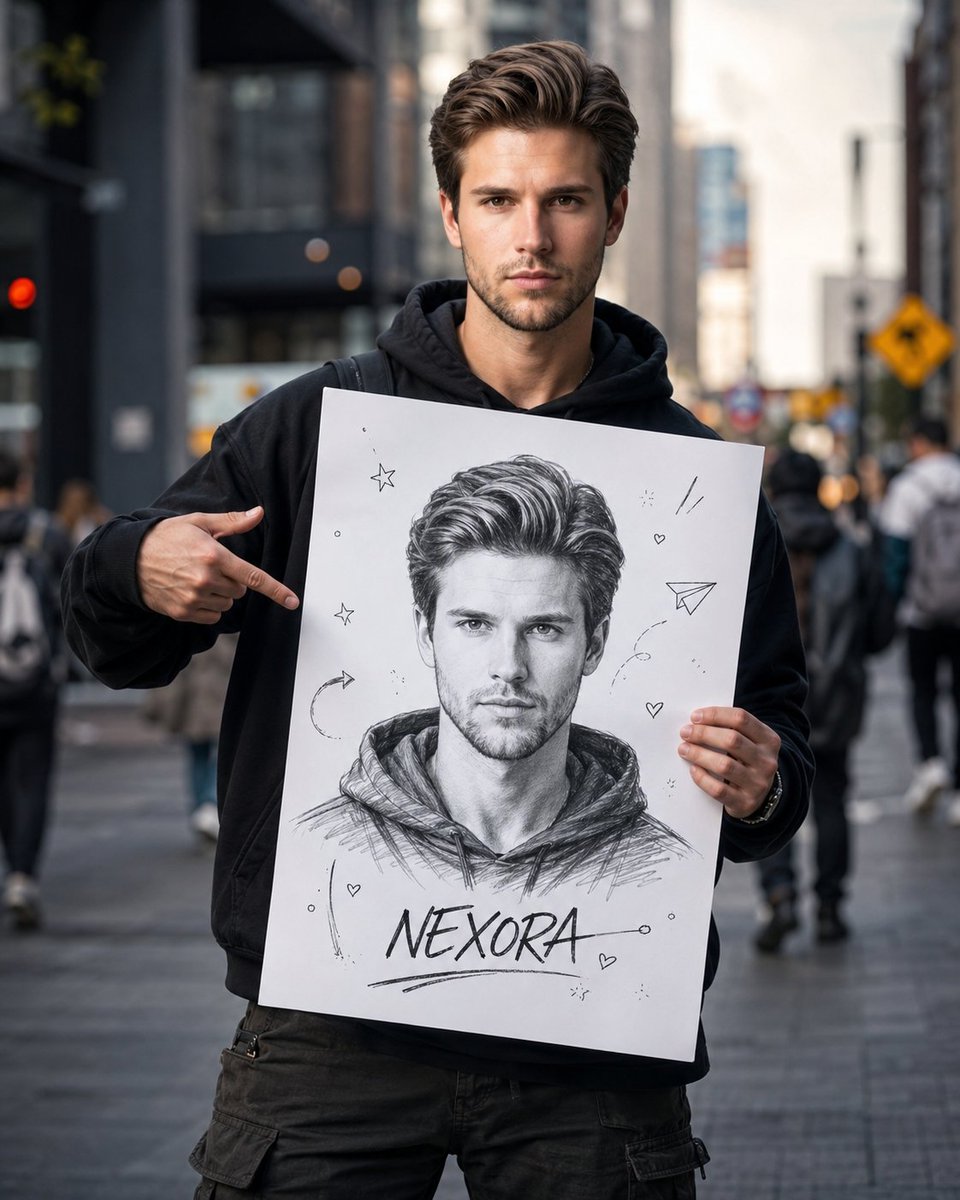
Lighting recipes worth memorising
Named lighting patterns each trigger a full setup the model already understands:
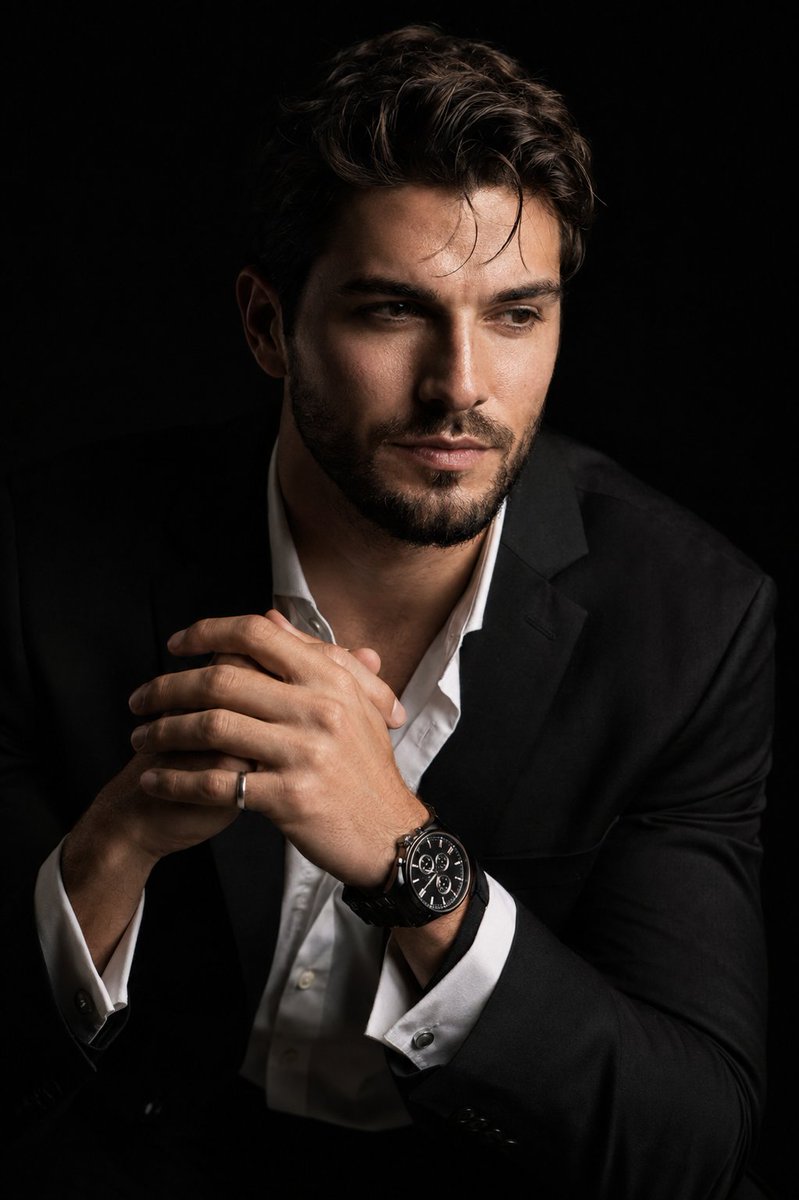
- Rembrandt: "distinctive triangle of light on the shadowed cheek, deep shadows on one side" — classic, dramatic, great for men's portraits.
- Butterfly or Paramount: "light from above and in front, small butterfly shadow under the nose, even cheeks" — flattering, beauty and glamour.
- Rim or backlight: "bright outline of light around head and shoulders, hair glowing, dark background" — cinematic separation.
- Split or chiaroscuro: "hard key from one side, half the face in shadow" — maximum tension.
Then add the detail that revives dead AI eyes: "slight catchlights in both eyes." A reflected light point in the iris is one of the fastest ways to tell a directed portrait from a lifeless render.
The anti-AI-face playbook
The plastic, waxy, suspiciously symmetric face is the model defaulting to its retouched-portrait average. You beat it on two fronts. First, delete the trigger words — "beautiful, perfect skin, flawless, ethereal, ultra-realistic" — that pull toward the filtered mean. Second, prescribe real-skin physics:
natural skin texture, visible pores, fine wrinkles, slight freckles, mild asymmetry, unretouched. No beauty filter, no plastic skin, no over-smoothing, no AI glow.Strong portrait prompts anchor realism the same way, with phrases like "weathered skin with visible wrinkles, pores and sun texture." The mantra is simple: imperfection equals realism. A little asymmetry and a few blemishes read as a photograph; flawless symmetry reads as a render.
Three portrait templates you can paste
Studio commercial headshot:
Photorealistic studio headshot of a 38-year-old man, short dark hair, light stubble, confident calm expression, charcoal wool blazer over a white shirt. 85mm lens at f/2.8, eye-level medium close-up, shallow depth of field, light grey seamless backdrop softly out of focus. Soft key light from camera-left at 45 degrees (loop lighting), large fill from the right, subtle rim light, slight catchlights in both eyes. Natural skin texture with visible pores and fine lines, unretouched, neutral color balance. No beauty filter, no plastic skin, no over-smoothing.Outdoor natural-light portrait:
Candid photorealistic portrait of a 27-year-old woman with wavy auburn hair, light freckles, relaxed genuine half-smile, cream linen shirt, walking through a wildflower meadow. 50mm lens at f/1.8, three-quarter turn toward camera, eye-level medium shot, shallow depth of field with soft golden bokeh. Golden-hour backlight creating a warm rim light on her hair, soft reflector fill, gentle catchlights. Realistic skin texture, visible pores, slight asymmetry, subtle film grain, honest and unposed. No glamorization, no heavy retouching, no waxy skin.Cinematic mood portrait:
Cinematic photorealistic portrait of a weathered 55-year-old fisherman, deep facial lines, grey beard, contemplative gaze just off-lens, worn navy raincoat. 85mm lens at f/2.0, tight head-and-shoulders framing, eye level, dark moody harbor at dusk blurred behind. Chiaroscuro: single hard key from camera-right carving deep shadow across half the face (split lighting), cool rim light outlining the shoulders, strong catchlights. Teal-and-amber color grade, subtle film grain, weathered skin with visible pores and sun texture, every wrinkle visible. No stylization, no plastic skin, no symmetry, no AI glow.Pitfalls: hands, drift, and keeping the same face
Three failure modes to plan around:
- Mangled hands: frame to head-and-shoulders to avoid them; if hands must show, add "hands relaxed and anatomically correct, five fingers".
- Parameter overload: too many specs get ignored — keep one lens, one aperture, one lighting recipe per prompt.
- Face drifting between edits: GPT Image 2 can hold an identity from a reference image, but you must repeat the lock every round.
To keep the same person across shots, upload a reference, label each input by role ("Image 1: base scene, Image 2: face reference"), and restate the invariants every iteration: "preserve face, facial features, skin tone, hair and proportions exactly." That identity-lock workflow has its own deep dive in our guide on character and product consistency.
GPT Image 2 on this site is free to start — 20 credits on sign-up, no card required. Shoot your first portraits on gpt-img2.com and browse portrait prompts. Credits are priced transparently, well under the official API per image.
Try these GPT Image 2 prompts


Try these techniques now
Open the free GPT Image 2 generator and put this into practice — 20 free credits, no credit card.